
Lila
An app that helps dementia patients help themselves
Team (1)
Ananya Kaipa
Timeline
14 weeks
Tools
Figma
health technology
accessibility
design guidelines for dementia
inclusive design
visual design
What is the project about?
Dementia and the Need for a Sense of Agency
What is Dementia?
Dementia is a term for several diseases that affect memory, thinking, and the ability to perform daily activities. It gets more severe over time, as one ages.
Symptoms
forgetting things or recent events
losing or misplacing things
getting lost when walking or driving
difficulties solving problems or making decisions
problems following conversations or trouble finding words
feeling anxious, sad, or angry about memory loss
personality changes
What does the research say?
Barriers to Online Dementia Information and Mitigation [link]
A paper that talks about how people diagnosed with dementia were,
seeking out reliable information on the internet.
heavily reliant on community and
looking for others' lived experiences as valuable resources for how to live with dementia.
Mind-Map
Direct insights from paper
Design directions and potential ideas
Pitfalls and limitations to consider
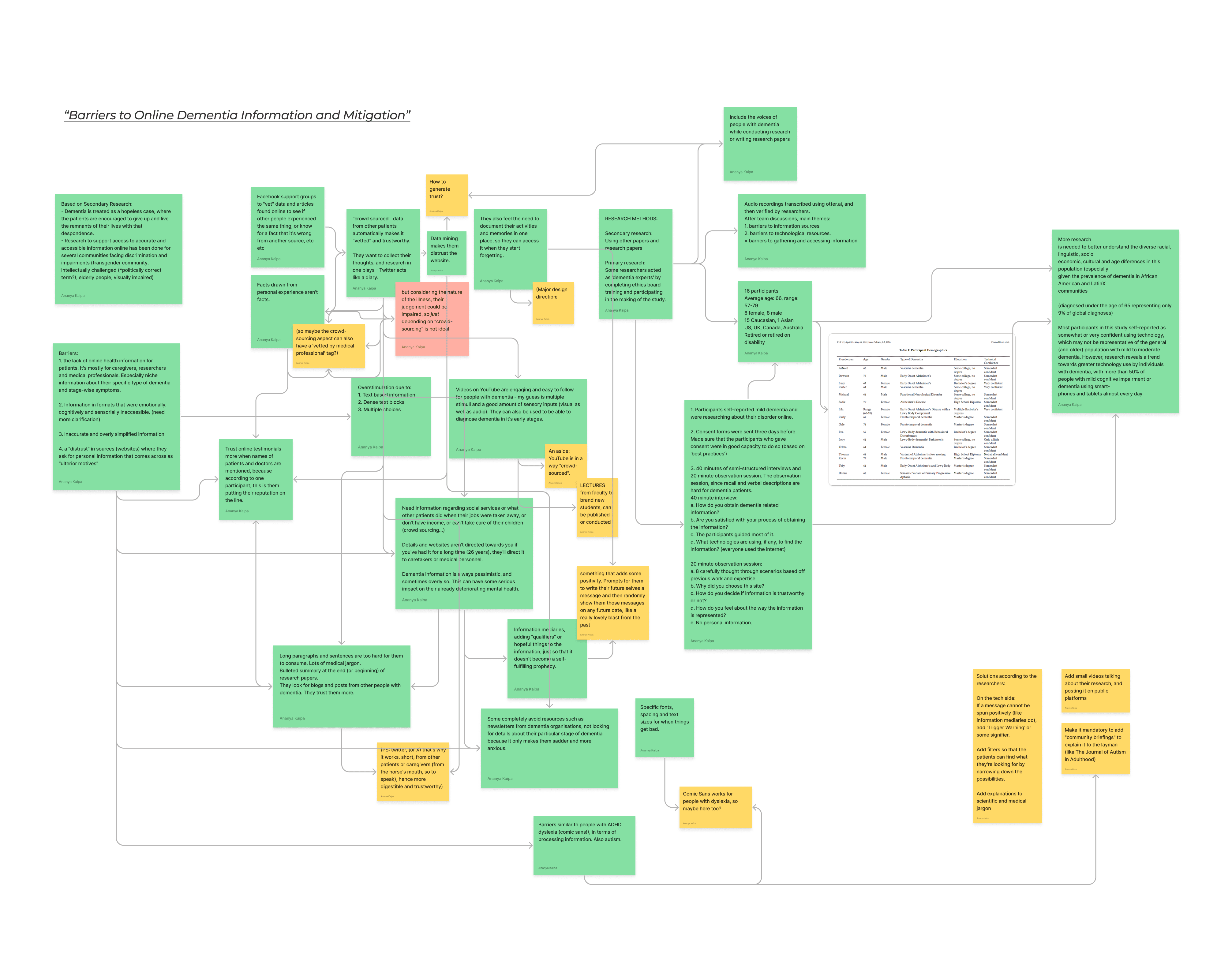
Salient insights from my research
PLWD: Persons Living with Dementia
PLWD: Persons Living with Dementia
PLWD are not helpless
"Though some past research has depicted those living with dementia as uninterested or unable to search for online health information, researchers in HCI have demonstrated how people with dementia use Twitter, online forums, and dementia specific websites to seek and share personal experiences, resources, and medical information concerning dementia."
Dixon et.al., 2022
Memories are linked with our sense of identity
"Researchers found that 'amongst those suffering from dementia, loss of memory serves to compromise well-being primarily because it is associated with loss of identity'."
Heersmink et.al., 2022
Sharing memories with loved ones improves relationships
"Researchers found that creating a life story book together improves the relationship between the patent and caregiver."
Heersmink et.al., 2022
Multimedia works better in evoking memories
"An advantage of multimedia biographies as compared to life story books is that they allow to include music, which is particularly helpful in evoking autobiographical memories."
Heersmink et.al., 2022
PLWD want to preserve their own memories
"Twitter has been shown to act as a digital diary, not only to share what’s happening in the daily lives of people with dementia, but also to 'preserve the activities and memory' of people with dementia."
Dixon et.al., 2022
Our identity is linked to our environment and the people around us
"Taking dementia patients 'out of their homes is literally separating them from large parts of their minds, potentially just as devastating a development as undergoing brain surgery'. "
Heersmink et.al., 2022
PLWD need meaningful connections with each other
"Twitter was found to be a place to find and connect with others living with dementia through sharing personal experiences."
Dixon et.al., 2022
There's a lack of resources designed for PLWD
"For example, while reviewing a large dementia advocacy organization’s website, Velma observed “there’s a lot of stuff about caregivers. And I will be wondering, well what about me?”"
Dixon et.al., 2022
Bibliography
So, what is this project about?
Giving PLWD their sense of agency back
Allowing them the independence to seek support on their terms
Providing them easy access to a community who know what it's like
A safe space to keep and share their memories for posterity
Why is this intervention important?
Why are existing interventions falling short?
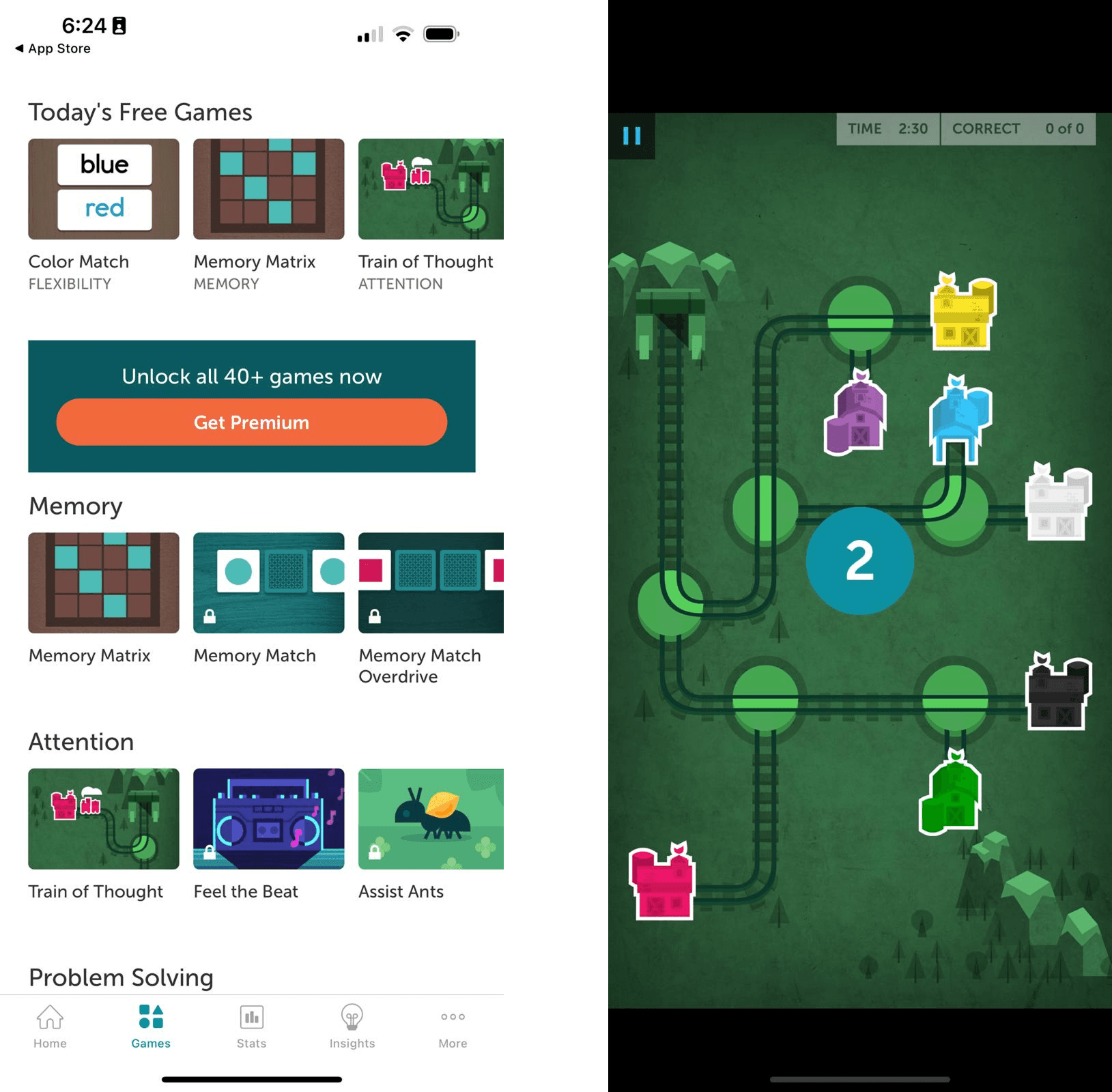
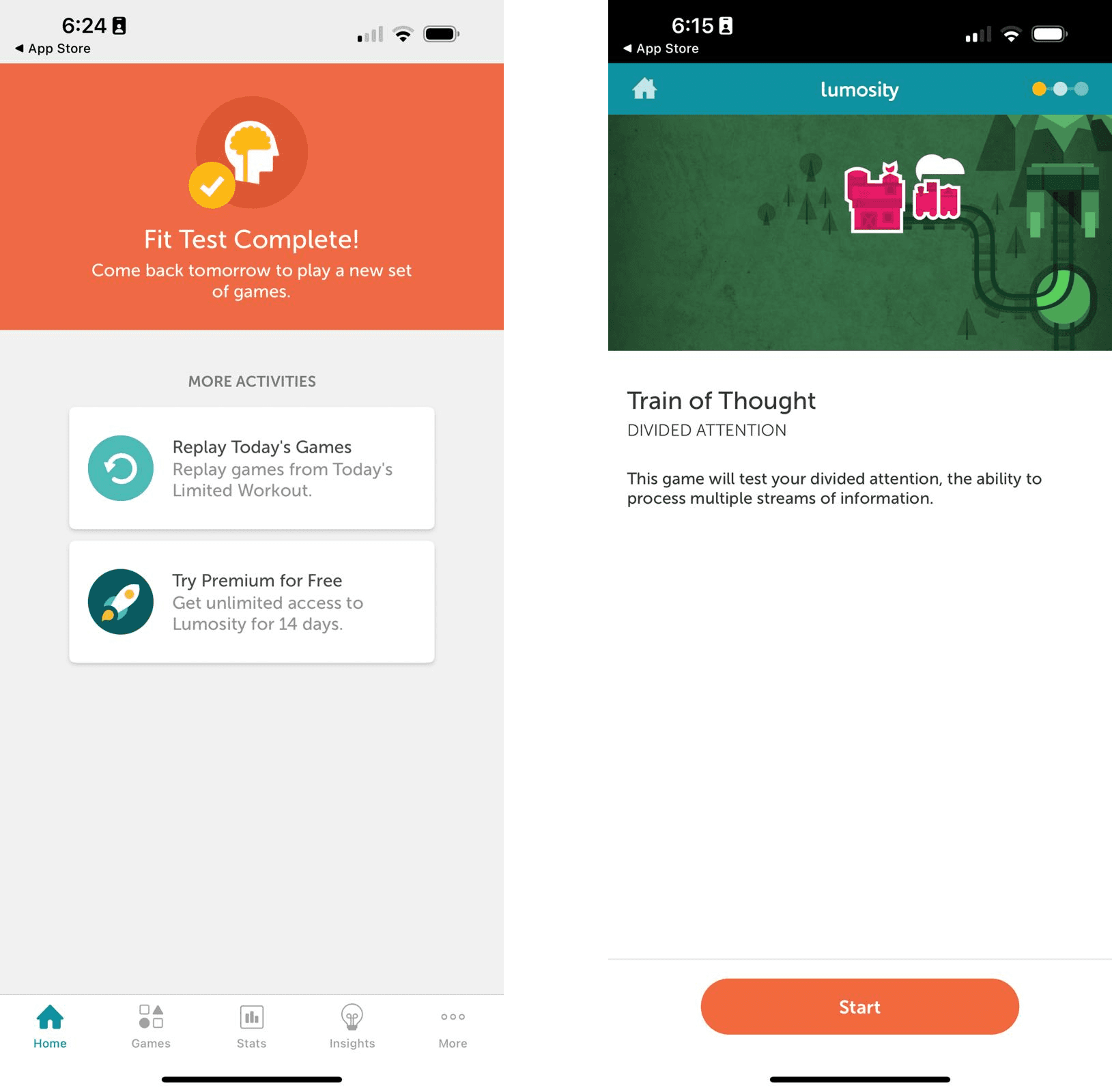
Lumosity
My thoughts:
This is not aimed at PLWD, hence none of the accessibility requirements for dementia apply.
The games are difficult to play even by a relatively healthy person.
Target Audience
General population looking to improve their cognition
Primary Objective
Mental exercises and brain games to train the mind
Wins
For the user directly and not caregivers/medical professionals
Claims to be scientifically backed
Losses
Accessibility issues (WCAG 2.1 AA)
No place for sharing reliable information about dementia
No community
Not designed for PLWD
No place for memory keeping
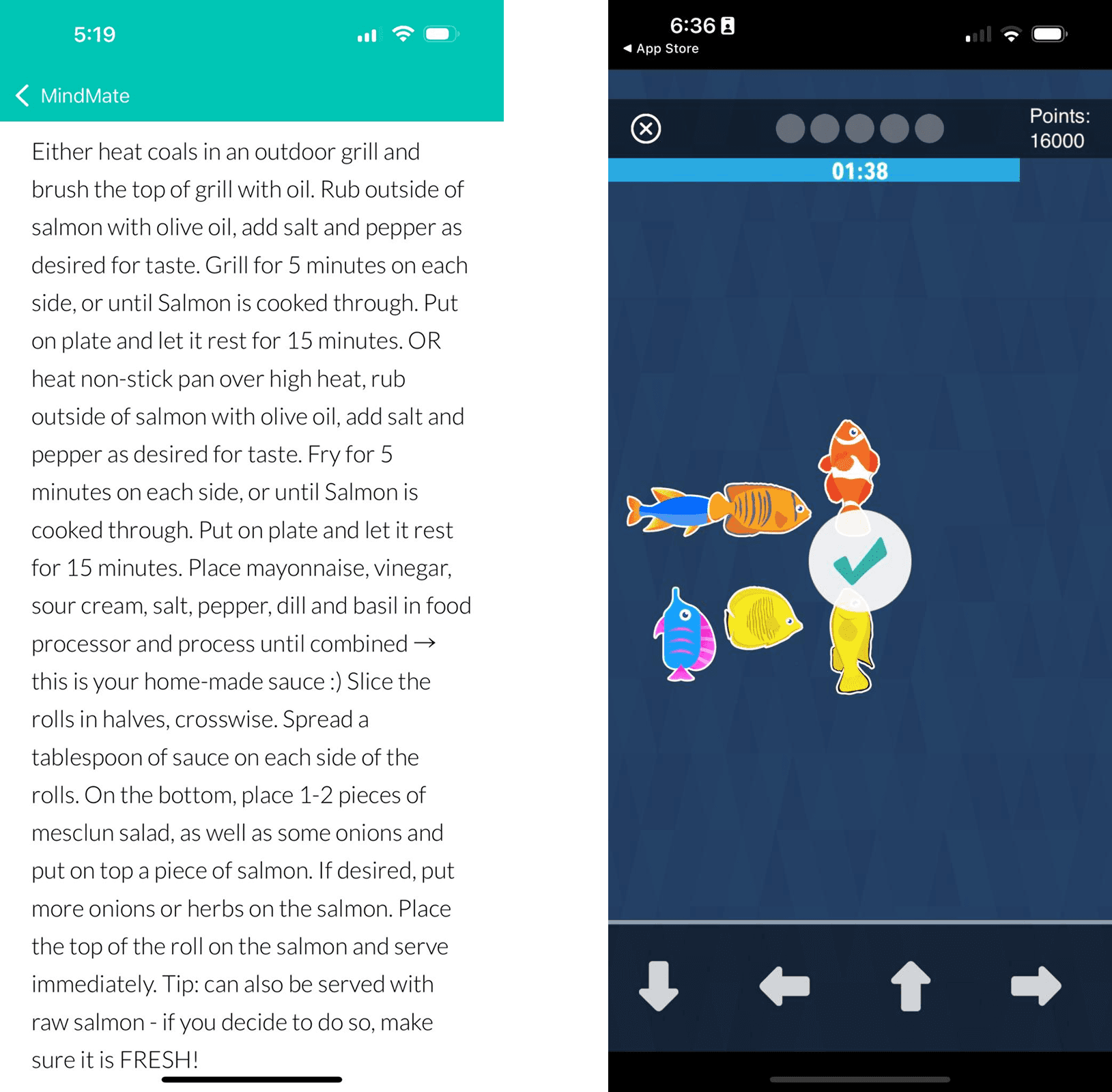
MindMate
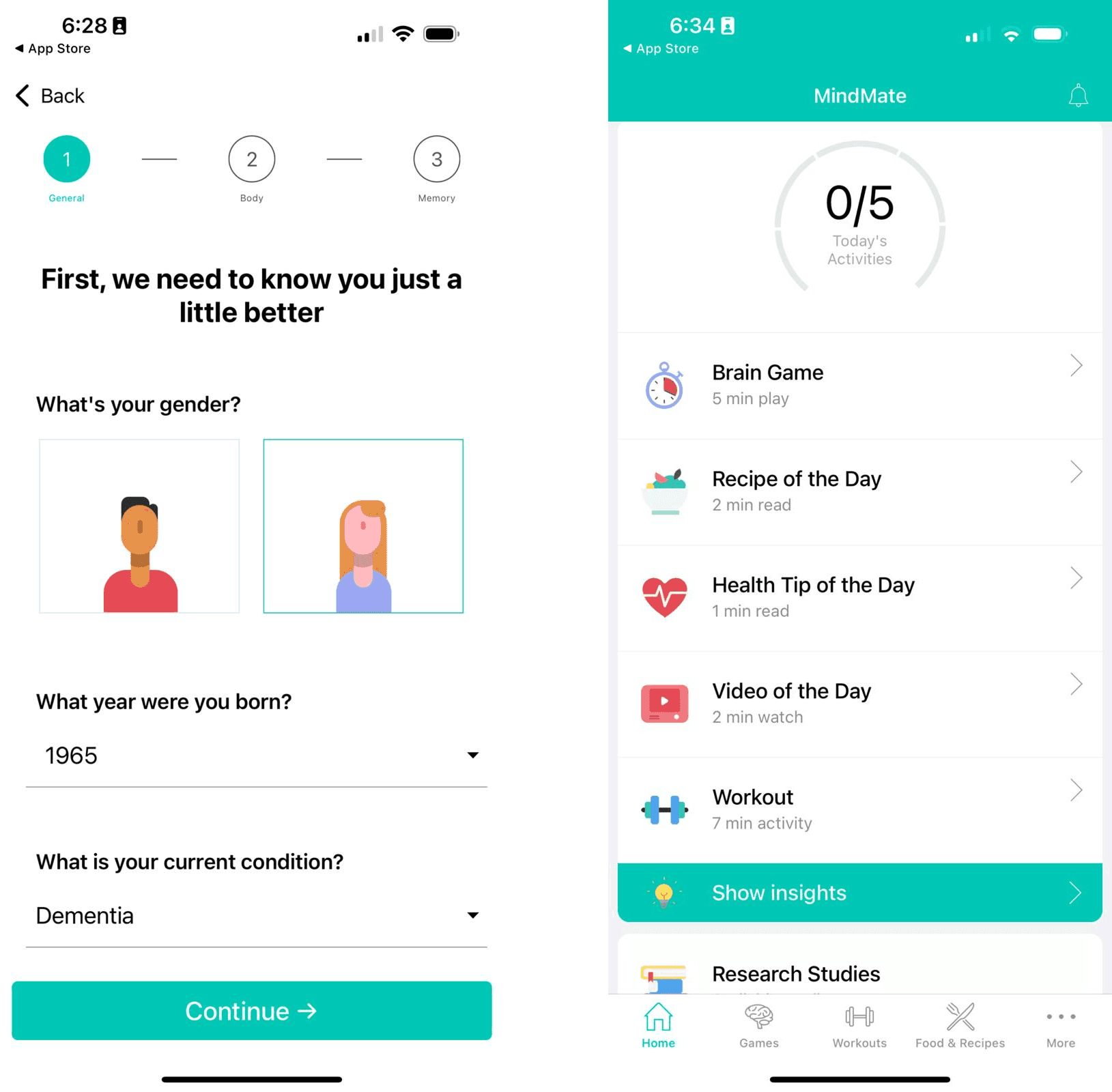
My thoughts:
The games are slightly more approachable and relevant for dementia symptoms
The actual app experience and interface has serious accessibility and usability issues - unsuitable for PLWD
For example, the recipes page is just a chunk of text with no formatting.
Target Audience
People with Alzheimer's
Primary Objective
To keep ones mind, body and soul healthy
Wins
For PLWD directly and not caregivers or medical professionals
Has brain games, recipes, nutritional tips, exercise videos for overall health maintenance
Losses
Lots of usability issues
Accessibility issues (WCAG 2.1 AA)
No place for sharing reliable information about dementia
No community
No place for memory keeping
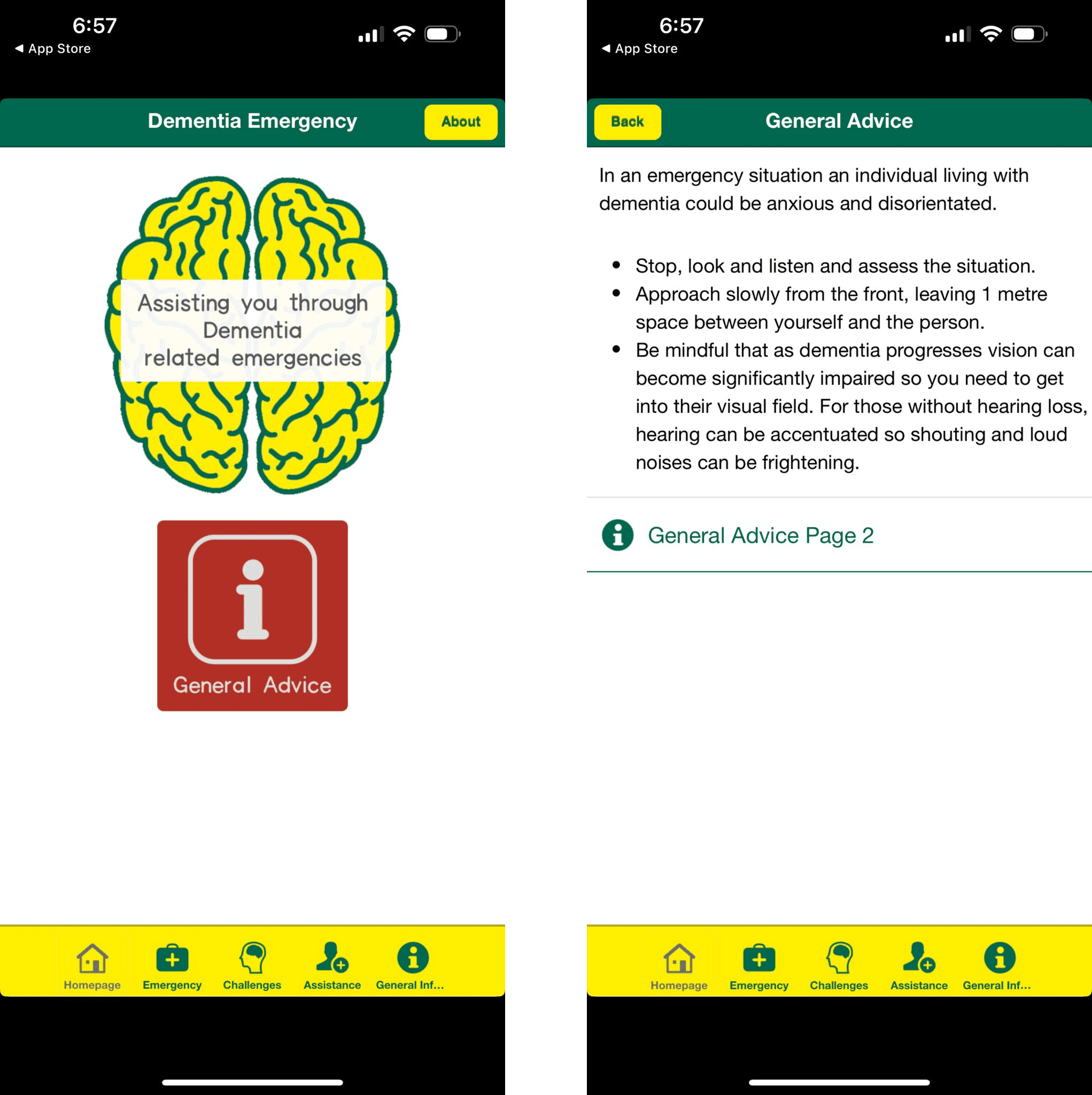
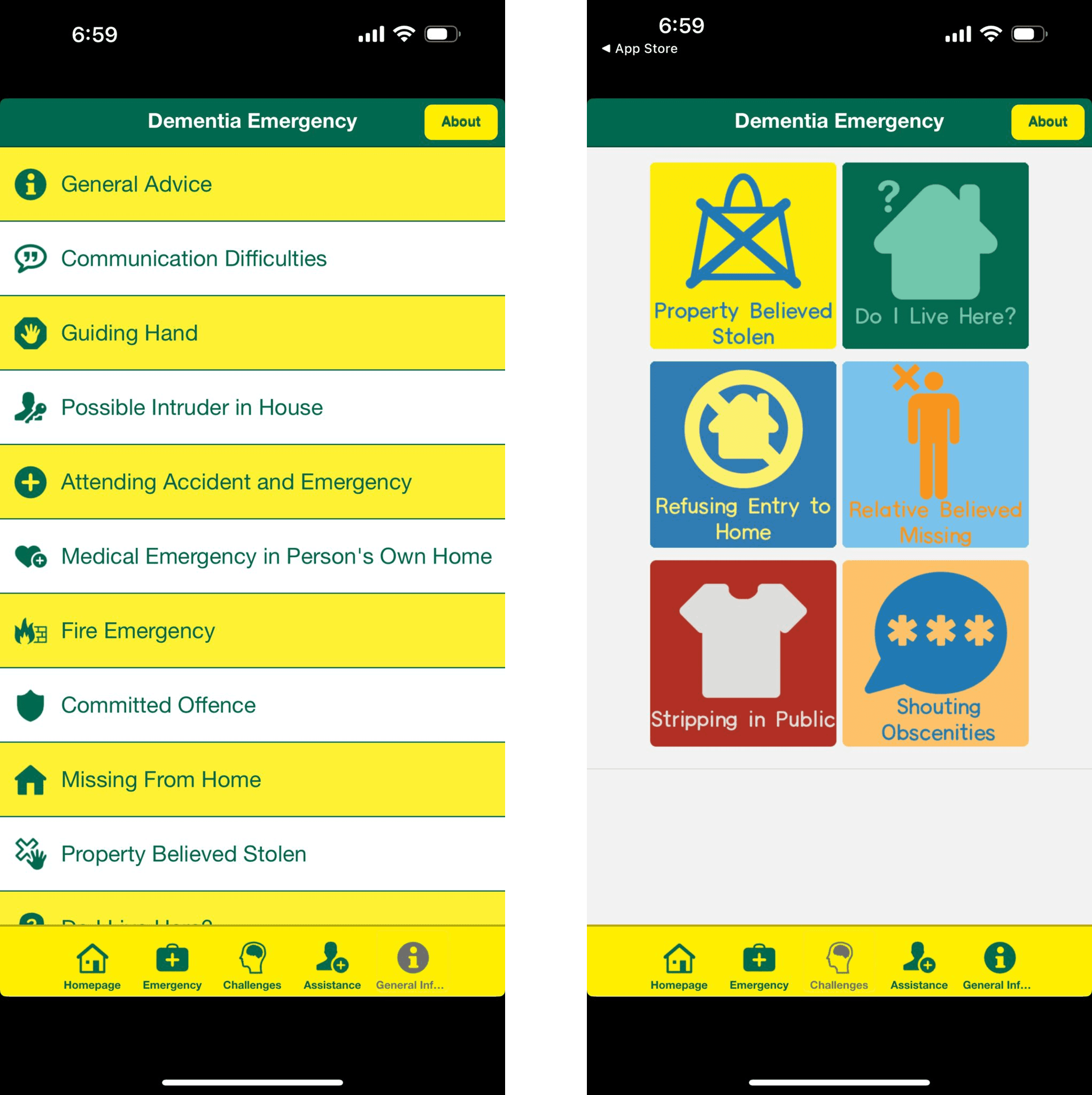
Dementia Emergency
My thoughts:
This app is made purely for caretakers, and reduces PLWD to a list of senile and infantile behaviours
The experience is so jarring and unpleasant which makes the app difficult to use
Target Audience
Caretakers of PLWD
Primary Objective
Providing information on emergency situations while taking care of PLWD
Wins
Provides some useful information
Losses
This app could be a pdf document
Accessibility issues (WCAG 2.1 AA)
It's really poorly designed, visually and information architecture is strange
No community
No place for memory keeping
Other apps I looked into
"Keys to Care" which is another app that provides information to caretakers.
"Teepa's GEMs" is an interesting take on interpreting dementia symptoms. It's another app that provides information on dementia related behaviours and how to interact with and help PLWD.
So, why is this project important?
We need to create consolidated accessibility guidelines for PLWD
We need to build with unique accessibility needs of PLWD in mind.
PLWD on different parts of the spectra have different capabilities.
Existing apps do not allowing them the independence to seek support on their terms
No avenues exist that provide easy access to a community who know what it's like
No interventions exist that provide a safe space to keep and share their memories for posterity
We need to find ways to treat people with dementia as people first with rich inner lives worth understanding, sharing and acknowledging.
How did I go about doing this?
Design Brief
Designing a mobile application to create a community for dementia patients who want to explore and understand their illnesses through dependable internet resources and each other’s lived experiences - along with creating a flexible way to keep and be reminded of memories from the past.
Accessibility and Inclusion in Visual Design and UX
Sectioning and Navigation
Clearly defined sections
Use of colours as well as text to differentiate different sections
Navigation should always be available (persistent "Home" or "Back" button)
Make sure everything happens in one screen or with fewer steps
Reducing clutter, while maintaining visually big, clear information
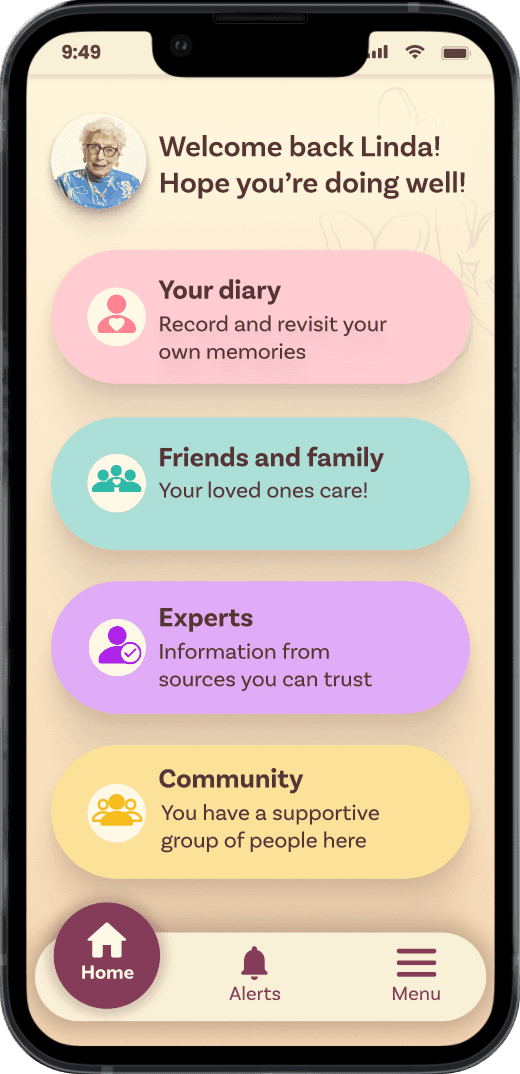
Clearly defined sections
Media and Iconograpy
Use simple, familiar playback controls for media
Imagery and visuals are often more accessible than just text
Always use text with icons for easy understanding
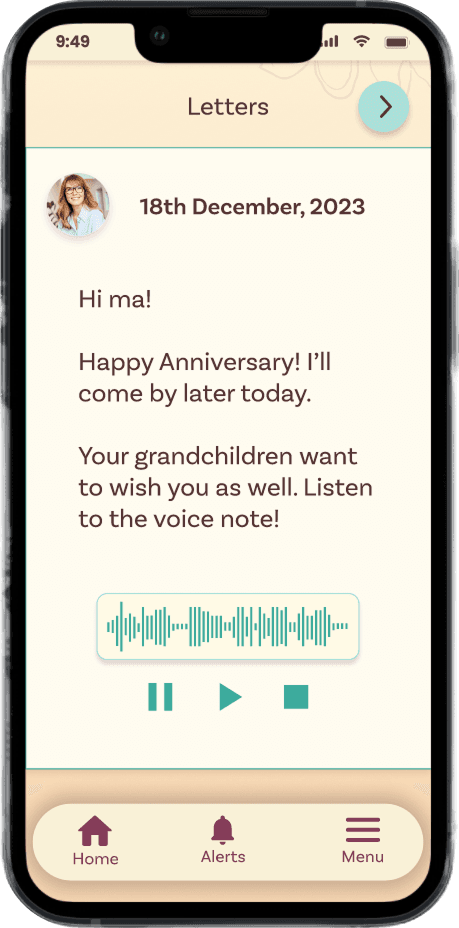
Simple, familiar, persistent playback controls
Text and Content
High contrast for textual content
Font sizes no smaller than 16px
Use sans-serif fonts
Don't use multiple fonts together
Use simple, clear, precise language
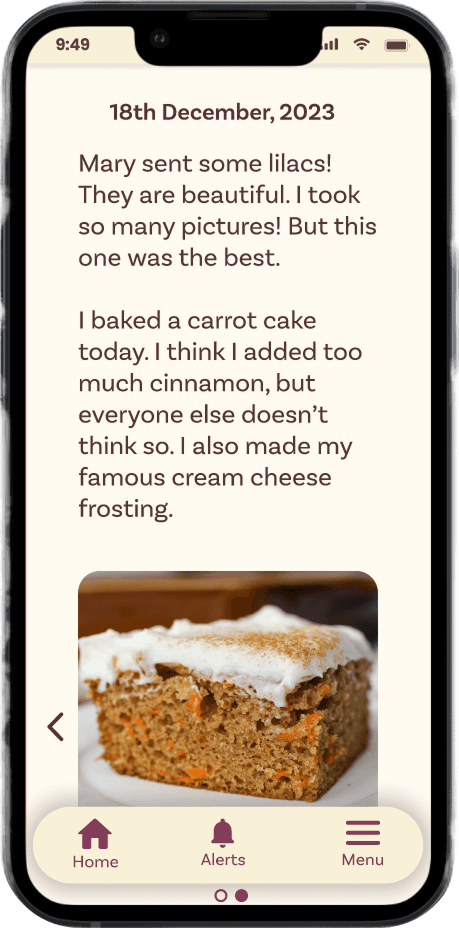
High contrast for text: WCAG AA approved (10.54:1)
Call to Actions (CTAs)
Large Call To Actions (CTAs), buttons and touch targets
Persistent CTAs that don't change from screen to screen, or from one state to another
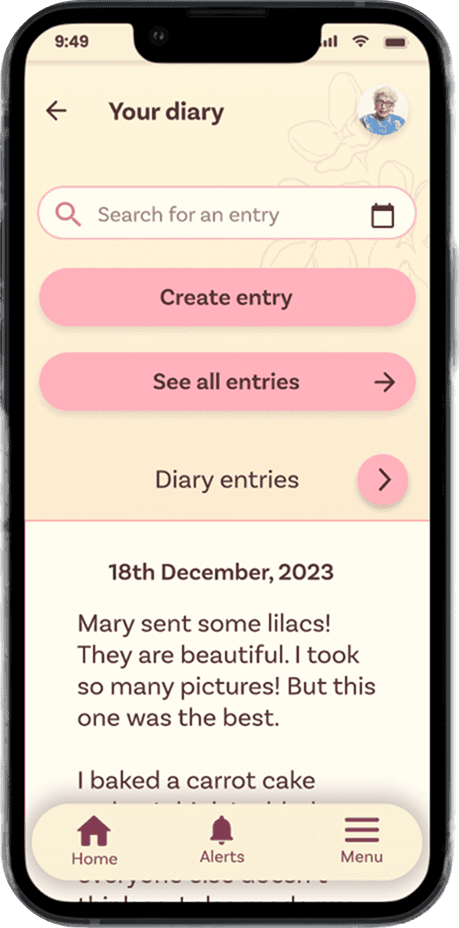
Large CTAs
UX-specific considerations
Sections should not be more than three levels deep
All sections should be distinct (colour), yet repetitive (screen elements, CTAs, etc)
The interactions should not be complicated. No animations.
Simple information architecture that complements the visual hierarchy
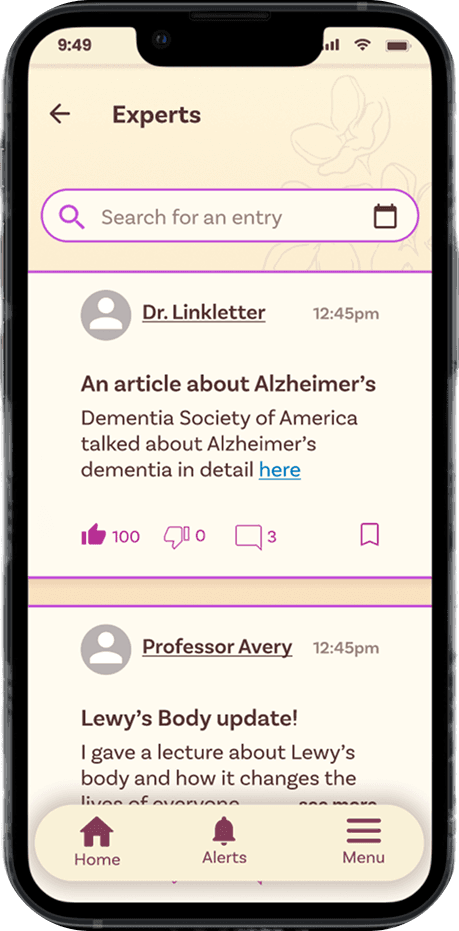
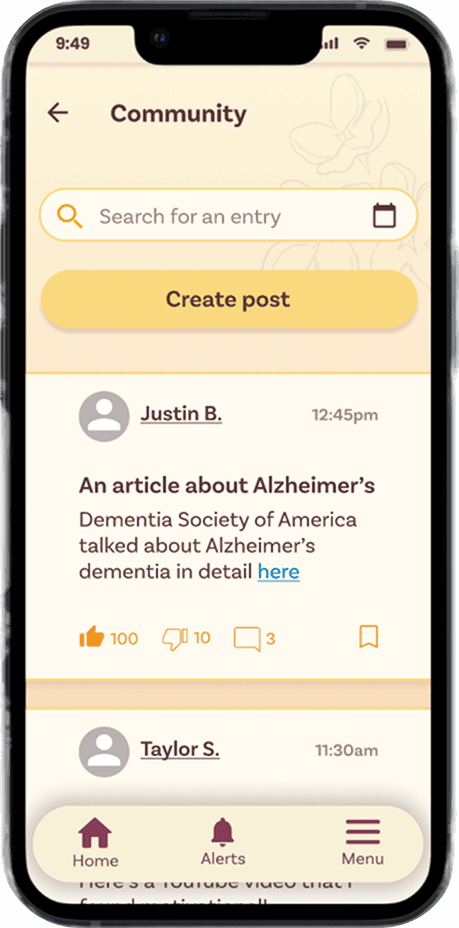
Same UX patterns, different colours or "themes"
Visual Design
Final Homepage
Evolution
Moodboard
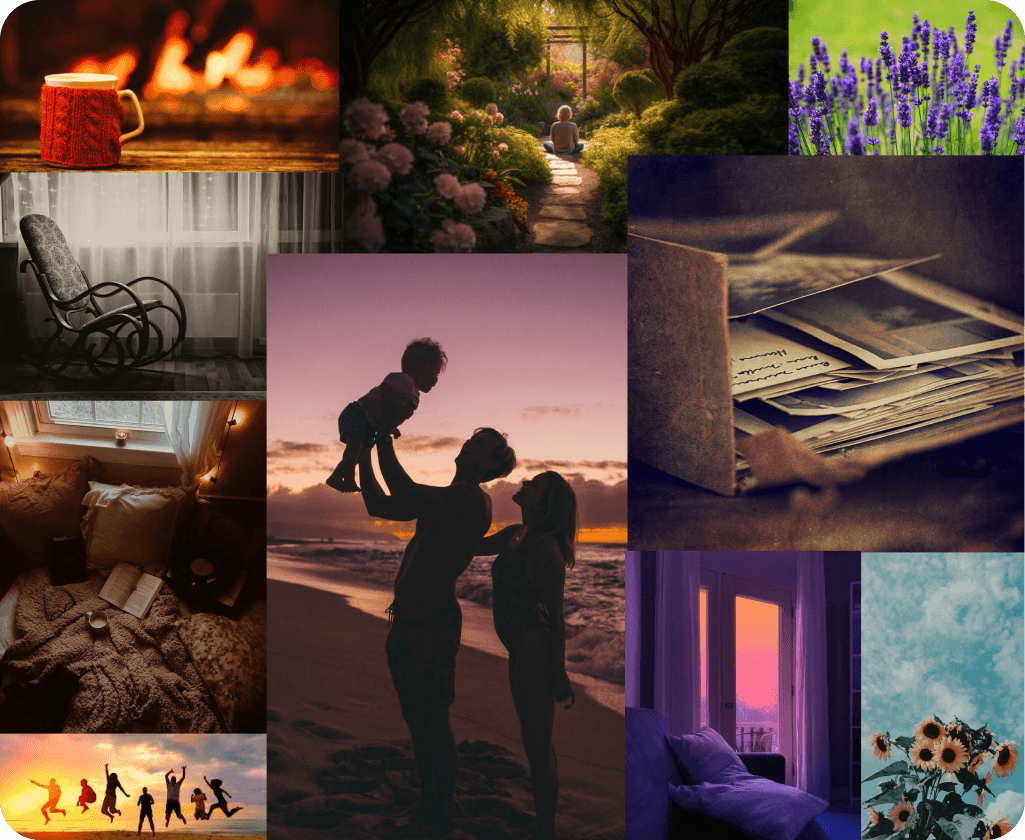
companionship
trust
safety
nostalgia
emotional connection
hope
warmth
steeped in history
cheery
accessible
clean
welcoming
The Lilac Flower
Reminiscent of innocence, youth and nostalgia

Colour
Research suggests that colour significantly impacts one's memory and object recognition.
Studies show that vivid colour cues can help to enhance the short-term memory performance of Alzheimer Disease patients.
To leverage this, the app is divided into 4 themes - each relating to a specific function of the app.
If users have trouble with text, the theme colours will tell them where they are.
App Colours
Primary
#843C58
Blush Sienna
Background
#F9F1D7
Pearl
Text
#553434
Dark Sienna
Theme 1: Your Diary
nostalgia, youth
#FF808F
Pink 00
#FFB2BC
Pink 10
#FFCCD2
Pink 20
#FFDBE0
Pink 30
Theme 2: Friends and Family
trust, revival
#2CBAA8
Teal 00
#6CD0C3
Teal 10
#ACDFD8
Teal 20
#E2F8F5
Teal 30
Theme 3: Experts
knowledge, astuteness
#AD1FEA
Violet 00
#C86AF1
Violet 10
#E0ABF7
Violet 20
#E8C3F8
Violet 30
Theme 4: Community
warmth, friendship
#F6BC1D
Yellow 00
#FAD97E
Yellow 10
#FBE198
Yellow 20
#FDEFC9
Yellow 30
Typography
Special considerations for typography
High contrast for textual content
Font sizes no smaller than 16px
Use sans-serif fonts
Don't use multiple fonts together
No large chunks of small text
Repetitive terms across the experience
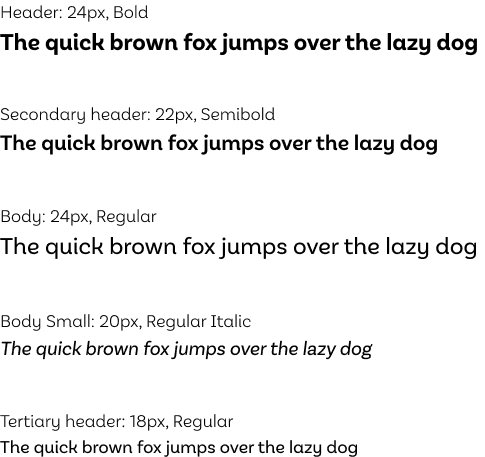
Typeface hierarchy consistency
Persistent titles, and other descriptors
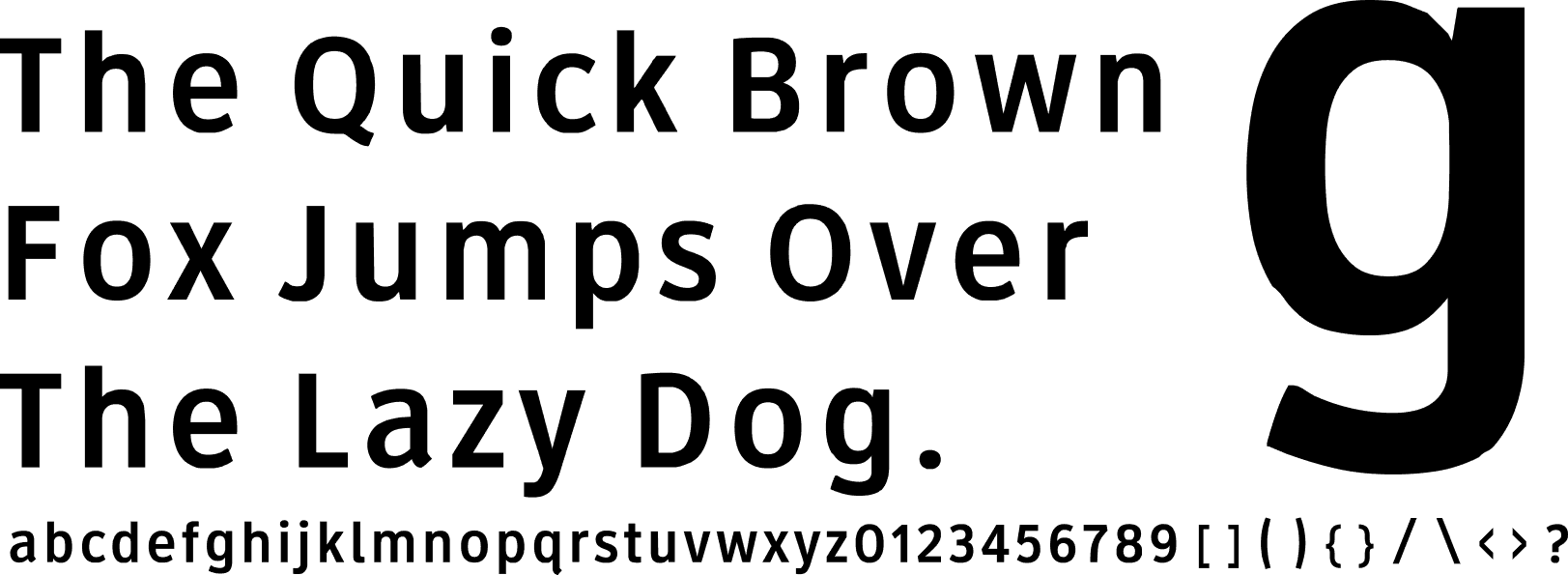
Clearview Highway
Clearview Highway is designed keeping the older driver in mind - it increases reaction times and aids drivers with low visual acuity.
It was designed to be used at thresholds beyond the FHWA standards.
It is overall considered to be one of the most readable, accessible typefaces.
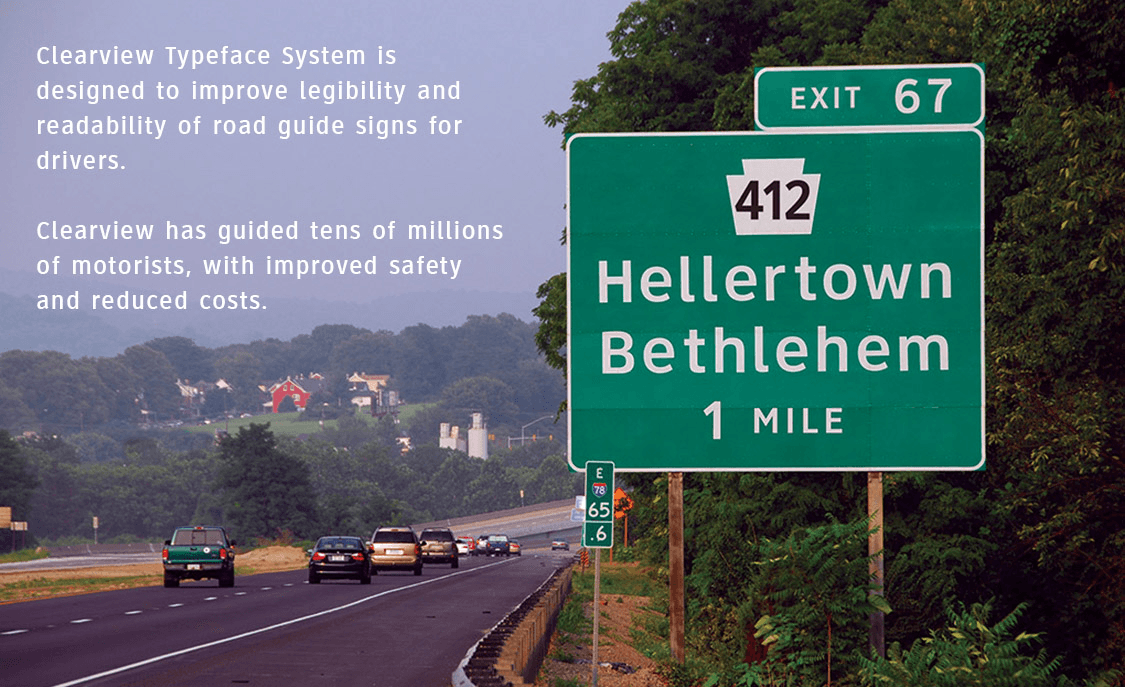
BUT it was expensive to purchase - so I went snooping for a similar font that I could use for free.
Basic Sans
Basic Sans was a close fit to Clearview Highway. While it is a much rounder font, it has similar height differences, ligatures, curves and alphabet styles.
It is also (in my opinion) more aesthetic, friendly and approachable than Clearview Highway.
Below is side-by-side comparison.
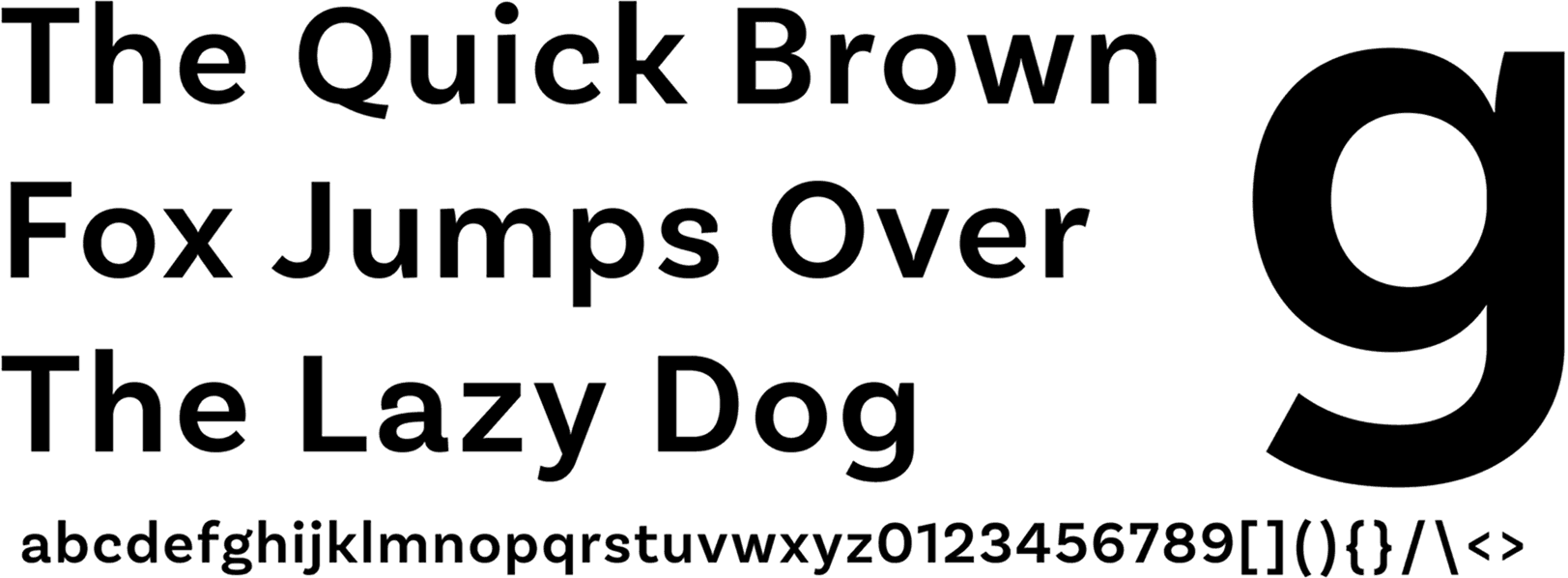
Basic Sans
Clearview Highway
Usage
Final Prototype
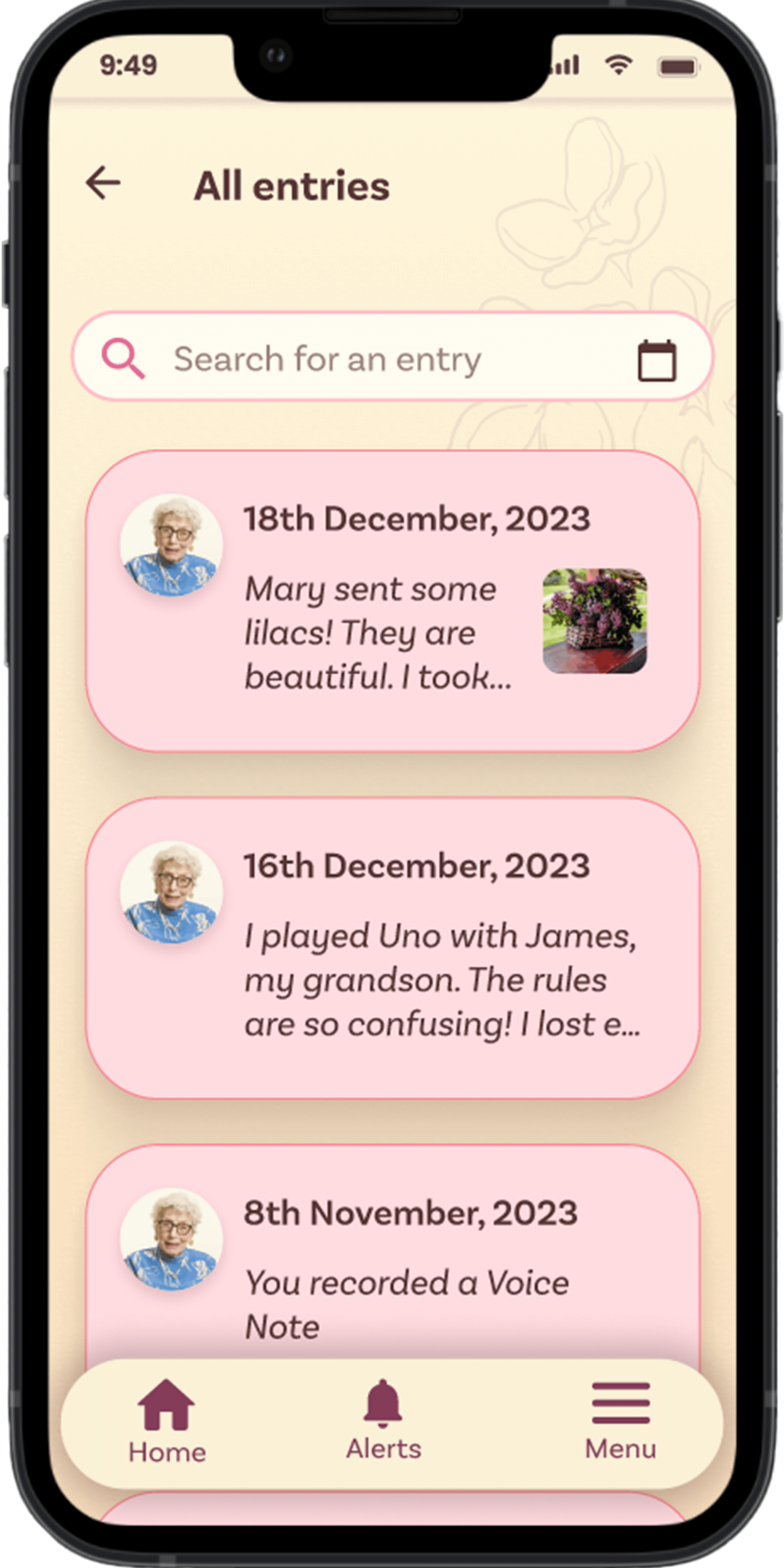
Your Diary
A dedicated theme (Theme 1) to this section, to make it distinct.
Usage of the same components as "Friends and Family" with different visual treatments for recognition and recall.
A diary style record of memories - with options to add multiple images, videos and audio notes (based on research mentioned in the "Why" section).
All memories in one place for easy viewing.
Auto-save to drafts.
Section to see all entries in chronological order.
Friends and Family
A dedicated theme (Theme 2) to this section, to make it distinct.
Usage of the same components as "Your Diary" with different visual treatments for recognition and recall.
All communications and memories with Friends and Family in one place for easy viewing.
A diary style record of memories - with multiple images, videos and audio notes (based on research mentioned in the "Why" section).
Experts
A dedicated theme (Theme 3) to this section, to make it distinct.
Usage of the same components as "Community" with different visual treatments for recognition and recall.
Minimal available actions (like, comment, save) for reduced cognitive load.
Simple interface to view and post comments. (See "Community")
Community
A dedicated theme (Theme 4) to this section, to make it distinct.
Usage of the same components as "Experts" with different visual treatments for recognition and recall.
Minimal available actions (like, comment, save) for reduced cognitive load.
Auto-save to drafts.
Simple interface to view and post comments.
Alerts and Notifications
Usage of the same components with different visual treatments for recognition and recall.
"This Day Last Year" for a pleasant blast from the past.
Minimal information mentioned upfront for reduced cognitive load.
All notifications in chronological order.
Outcomes
Consolidated visual design guidelines for dementia, backed by dedicated research.
Stay tuned for user and usability testing results! I'm in talks with Dr Amanda Lazar (founder of the THAT lab for dementia research, and co-author of "Barriers to Online Dementia Information and Mitigation" ).
Ananya Kaipa © 2025.


This case study has been designed to be viewed on a larger screen, for now.
This version of it is under construction! Stay tuned :)
Ananya Kaipa © 2025.
This case study has been designed to be viewed on a larger screen, for now.
The mobile version of it is under construction! Stay tuned :)
Ananya Kaipa © 2025.